bet360 Deposit Guide: Send Money From bKash, Nagad or Rocket
By the end of this page you will know which channel to open, the ৳100 minimum, the 6 minute window before credit lands, and what to do when a transfer leaves your wallet but never reaches your balance.
What You Need Before the First Taka
A deposit is a transfer from your own mobile wallet or bank account into your bet360 balance. The money becomes playing credit once the transfer is matched to the name on your account, so the number you send from and the number saved in your profile have to line up.
Check these four things before you open the cashier. Each one is a common reason a payment sits unmatched while the player waits on live chat.
- A bKash, Nagad or Rocket wallet, or a bank account, held in your own name. Joint or borrowed accounts cause trouble later at withdrawal.
- At least ৳100. That is the smallest deposit we accept, and it is also the smallest amount that qualifies for the welcome offer.
- The wallet number typed the same way in the app and in your bet360 profile, including the 11 digits and no spaces.
- An ID document nearby: national ID card, passport or driving licence. It is reviewed before your first withdrawal, and the check usually takes about 6 hours.
One habit saves most of the headaches. Keep the confirmation SMS from your wallet until the credit is sitting in your balance, not just until you close the app. The transaction ID inside that message is the only thing live chat needs to trace a transfer that went missing.
bet360 Deposit Channels and Their Timings
Four channels cover almost every player in Bangladesh. Pick the wallet your daily cash already sits in, and a top-up takes one confirmation instead of a trip to a bank branch.
-
bKash
- Minimum
- ৳100
- Credit lands
- 6 min
- Cash-out time
- 42 min
- Best for
- Quick top-ups
-
Nagad
- Minimum
- ৳100
- Credit lands
- 6 min
- Cash-out time
- 42 min
- Best for
- Everyday use
-
Rocket
- Minimum
- ৳100
- Credit lands
- 6 min
- Cash-out time
- 42 min
- Best for
- Rural districts
-
Bank Transfer
- Minimum
- ৳100
- Credit lands
- 6 min
- Cash-out time
- 42 min
- Best for
- Larger amounts
The 6 minute and 42 minute figures describe a normal transfer, not a promise for every single one. Wallet maintenance windows, a sender name that does not match, and bank queues around month end can all stretch the clock. The daily cash-out ceiling starts at ৳230,000, so large wins have room to leave on the same day.
Cash-In Steps for bKash
bKash carries the most deposits on the site, so it is worth learning the exact order of the screens once. After the first run, the whole thing takes about as long as a cup of tea.
-
1
Log in and open the cashier
Sign in through the login page, then choose Deposit from your balance panel. No account yet? The registration form takes a couple of minutes and asks for your name, mobile number and a password.
-
2
Type the amount you will actually send
Anything from ৳100 upwards. The figure on the screen has to match the figure you send from your wallet, otherwise the credit lands short and you spend the evening explaining the difference to support.
-
3
Select bKash and confirm the request
The cashier opens a payment request using the wallet number saved in your profile. Approve it inside the bKash app with your PIN. Do not edit the number at this stage unless it is genuinely wrong.
-
4
Paste the transaction ID
The bKash confirmation SMS carries a TrxID. Copy it into the deposit form so the transfer can be matched automatically rather than searched for by hand. Typos here are the single biggest cause of delay.
-
5
Watch the balance, not the SMS
Credit usually appears within 6 minutes. Refresh once, then leave it alone. Sending a second top-up during that window is how players end up with a double deposit they only wanted once.
Nagad, Rocket and Bank Transfer, Side by Side
The other three channels follow the same five beats, with a different confirmation screen in the middle. Pick the one below that matches your wallet and follow the short version.
Nagad
- 1
Choose Nagad in the cashier
Enter an amount of ৳100 or more and pick Nagad as the source.
- 2
Approve the request in the Nagad app
Confirm with your PIN, exactly as you would for a shop payment.
- 3
Copy the reference from the SMS
Paste it into the deposit form before you close the browser tab.
- 4
Give it the full 6 minutes
Then refresh the wallet once and check your balance.
Rocket
- 1
Select Rocket and enter your number
The wallet number must match the one saved in your profile.
- 2
Confirm from the app or the menu
Rocket users without the app can approve from the operator menu.
- 3
Keep the confirmation reference
It is a different code from the bKash TrxID, so do not reuse an old one.
- 4
Wait for the balance update
Credit should land inside 6 minutes on a normal evening.
Bank Transfer
- 1
Copy the account details shown
The cashier displays the receiving account for your transfer.
- 2
Send from an account in your name
Use your bank app, or a branch deposit if the amount is large.
- 3
Save the slip or reference number
A photo of the slip is enough if support asks for proof.
- 4
Allow the full 6 minutes
Bank rails are matched more often by hand, so do not resend early.
Whichever channel you choose, the cash-out side is identical: the same wallet or bank account receives your money, and the usual withdrawal takes 42 minutes. First withdrawals wait a little longer because the documents are reviewed first, which is normally a 6 hour job. Full steps are on the withdrawal guide.
Why a Payment Stalls and What Fixes It
Most stalled deposits are not lost money. They are a transfer that arrived without a name attached to it. Work through the rows below before you send anything a second time, because a duplicate is harder to unpick than a delay.
| What you see | Likely cause | First thing to try |
|---|---|---|
| Money left the wallet, balance still empty | The transfer has not been matched to your account yet | Wait the full 6 minutes, then send the transaction ID to live chat |
| The form refuses the amount | Below the ৳100 floor, or above your wallet's own limit | Send ৳100 or more in a single transfer |
| The payment request expires | Too long between opening the request and confirming it | Start a fresh request and confirm inside a couple of minutes |
| The wallet number is rejected | The number is saved differently in your profile | Correct the number in your profile, then send again |
| Deposit arrived but the bonus did not | The offer was not attached to that first top-up | Ask live chat to attach the welcome offer before you play |
If your case is not in the table, live chat is open 24/7 and can trace a transfer from the transaction ID alone. Have three things ready before you open the chat: the sender number, the exact amount, and the time you pressed send. That saves the back and forth and usually closes the case in one message.
Depositing on Match Night, Without the Stress
The hour before a big kickoff is the worst time to discover your wallet is empty. bKash and Nagad both slow down when half the country tops up at once, and a payment request left untouched for a few minutes simply expires.
Three habits keep the whole thing boring, which is exactly what you want when a match is about to start:
- Top up an hour before the first whistle, not five minutes before.
- Send one transfer, then wait the full 6 minutes before even thinking about a second.
- Keep the transaction ID until the credit sits in your balance, not just until the SMS pings.
A slip for a specific fixture
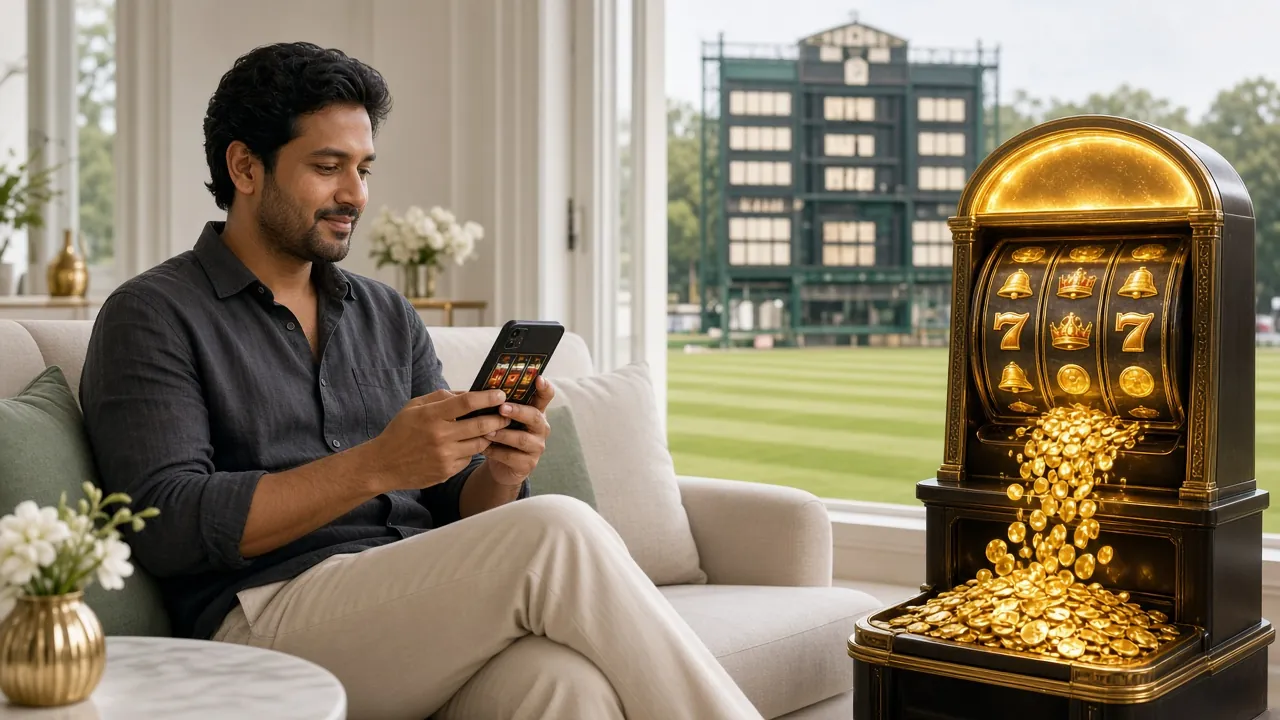
If you are building a bet slip around a particular game, the Premier League betting guide walks through the markets, and the mobile app lets you place the slip from the sofa once the deposit has landed.
Making the First Deposit Bonus Count
The first top-up on your account is the only one that carries the 210% welcome offer, so the amount matters more than the timing. The bonus stops at ৳6,000 in credit. Anything you send above that level still reaches your balance, it simply stops generating extra bonus money.
The bonus arrives as separate credit with a 9x wagering requirement attached, which means it is playable but not immediately withdrawable. Your own deposit is treated as normal playing credit. Later top-ups carry a 21% reload offer instead, and every day of play returns 1.1% as cashback.
First deposit terms
Claim the offer on the registration page before you deposit, not after. An offer attached afterwards usually needs a manual fix from support. The bonus and VIP page explains how the five levels work, from Bronze up to Diamond, and what each one changes about cashback and daily limits.
Questions About bet360 Deposit
How long does a bet360 deposit take to show up?
Most transfers reach your balance within 6 minutes of confirmation. Mobile wallets are usually faster than bank transfers. If the money has not appeared after 6 minutes, stop and check before sending again, because a second transfer will simply be credited as a second deposit.
What is the smallest amount I can deposit?
৳100. That figure is the same across bKash, Nagad, Rocket and bank transfer, and it is also the minimum that qualifies for the welcome offer. There is no upper limit set by us, though your wallet provider applies its own daily cap.
My bKash money left the wallet but the balance is empty. Where is it?
It is almost certainly sitting unmatched. Give it the full 6 minutes, then open live chat with the transaction ID from the bKash SMS. Support can trace the transfer in minutes and credit it to the right account, usually without asking for anything else.
Can I deposit from the app instead of the browser?
Yes. The app does everything the browser cashier does, with the same ৳100 minimum and the same 6 minute window. It is 36 MB, runs on Android 8.0 and above, and the current version is 2.9.20. Installation steps are on the app download page.
Do I need to send a screenshot of the payment?
Rarely. The transaction ID is normally enough to locate a transfer. Keep a screenshot anyway if you used bank transfer or a branch slip, since a photo settles the case faster when two players have sent similar amounts on the same evening.
Can I deposit from a wallet that belongs to someone else?
Please do not. A top-up from a relative's wallet can still be credited, but the name on the payment will not match the name on your account, and that mismatch is checked before your first withdrawal. The result is a hold, a document review that takes about 6 hours, and a lot of unnecessary messages.
Is the money locked once it reaches my balance?
Your own deposit is playing credit and can be withdrawn after the usual checks. Only bonus money carries conditions, and the welcome offer is 9x wagering before it converts. If you would rather not take the offer at all, tell live chat before you send the transfer.
Start With ৳100 and See How It Feels
Open an account, send your first ৳100 through bKash or Nagad, and the 210% welcome offer is attached to that deposit. Already registered? The login page and the app both get you to the cashier in two taps.
Next steps: sign in to a saved account, install the Android app, or read the cash-out guide so the way out is as clear as the way in.